

If you spend hours daily on your laptop — whether for remote work, gaming, studying, or running a business — you’ve probably felt the strain: neck pain, stiff shoulders, or an overheated device slowing you down.
As someone who has tested dozens of laptop accessories while building my own workspace solutions at Lauren Joseph Mart, I know how transformative the right laptop stand can be. After personally using and comparing popular models throughout late 2025 and early 2026, I’ve put together this honest guide focused on what actually matters for everyday USA users.
In this article, I’ll share my real-world testing experience, break down key features to look for, compare top options (including my own Aluminum Laptop Cooling Stands), and help you choose the best one for your setup. All recommendations consider fast shipping within the USA, durability for daily use, and real ergonomic benefits.
Why You Need a Laptop Stand in 2026
Laptops are designed to be portable, not ergonomic. When placed flat on a desk, the screen sits too low, forcing you to crane your neck downward for hours. This poor posture contributes to “tech neck,” back pain, and reduced productivity.
A good laptop stand elevates your screen to eye level (ideally the top of the screen slightly below or at eye height when sitting straight). It also improves airflow for better cooling, frees up desk space for an external keyboard and mouse, and can even add style to your workspace.
From my testing:
- Ergonomic improvement: Most users notice reduced neck strain within the first week.
- Cooling benefits: Stands with ventilation or active fans prevent thermal throttling, keeping performance high during long video calls or gaming sessions.
- Portability matters: Hybrid workers need something foldable that fits in a backpack without adding bulk.
I tested stands on MacBook Pro, Dell XPS, HP Spectre, and gaming laptops (up to 17 inches) in both home office and casual setups across different US climates and desk types.
What Makes the Best Laptop Stand in 2026? Key Features I Evaluated
Here’s what I prioritized during hands-on testing (based on real use over weeks, not just unboxing):
- Adjustability & Height: Multiple height/angle settings for custom fit.
- Stability: No wobbling even when typing aggressively; strong base and rubber grips.
- Cooling: Passive vents or active fans (especially important for gaming or heavy workloads).
- Build Quality: Aluminum for durability and premium feel; lightweight yet sturdy.
- Portability: Foldable design that collapses flat for travel or storage.
- Compatibility: Supports 10–17.3″ laptops securely.
- Extra Features: LED fans for visibility/style, easy setup, cable management.
- Value: Performance vs. price, with reliable USA shipping and returns in mind.
I also considered aesthetics — a sleek aluminum finish looks professional on any desk.
Top Laptop Stands Tested & Reviewed for 2026
I compared market leaders (like Rain Design, Lamicall, Besign, and Roost-style portables) with practical, affordable options available to USA buyers. Here are my standout picks based on real testing.
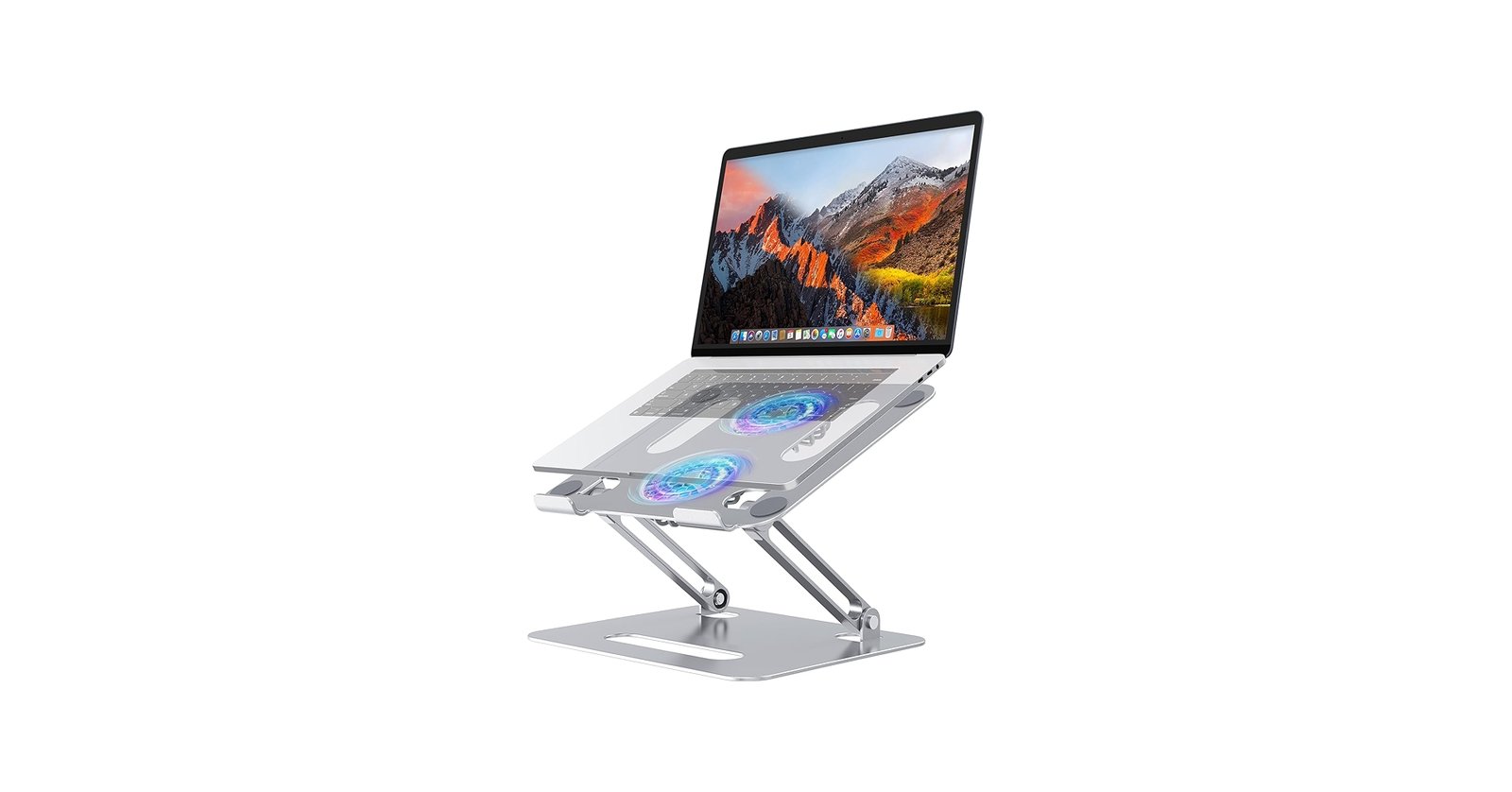
1. Best Overall for Most USA Buyers: Lauren Joseph Mart Aluminum Laptop Cooling Stand (Silver with Dual Blue LED Fans)
Price: $49 Why it stands out in my tests: This foldable aluminum stand quickly became my daily driver. The dual blue LED fans provide active cooling that noticeably lowers laptop temperatures during extended Zoom sessions or light gaming. It folds compactly for travel yet feels rock-solid when open.
Key specs I loved:
- Premium aluminum construction — lightweight (easy to carry) but stable.
- Dual fans with LED lighting add a modern touch without being distracting.
- Excellent ventilation keeps devices running cooler and quieter.
- Supports up to 17″ laptops with strong rubberized grips to prevent slipping.
- Perfect height elevation for ergonomic eye-level viewing when paired with an external keyboard.
Real experience: After switching from a flat desk setup, my neck pain decreased significantly within days. The fans make a real difference on warmer days or during processor-heavy tasks. It’s ideal for remote workers, students, and gamers who want style + function.
Pros:
- Active cooling with LEDs
- Highly portable and easy to set up
- Great value with fast USA shipping from Lauren Joseph Mart
- Professional look
Cons:
- Fans require USB power (minor, as most desks have ports)
Best for: Everyday office use, hybrid workers, and anyone wanting cooling + ergonomics without spending over $50. Ships fast across the USA.
Shop the Silver Aluminum Laptop Cooling Stand
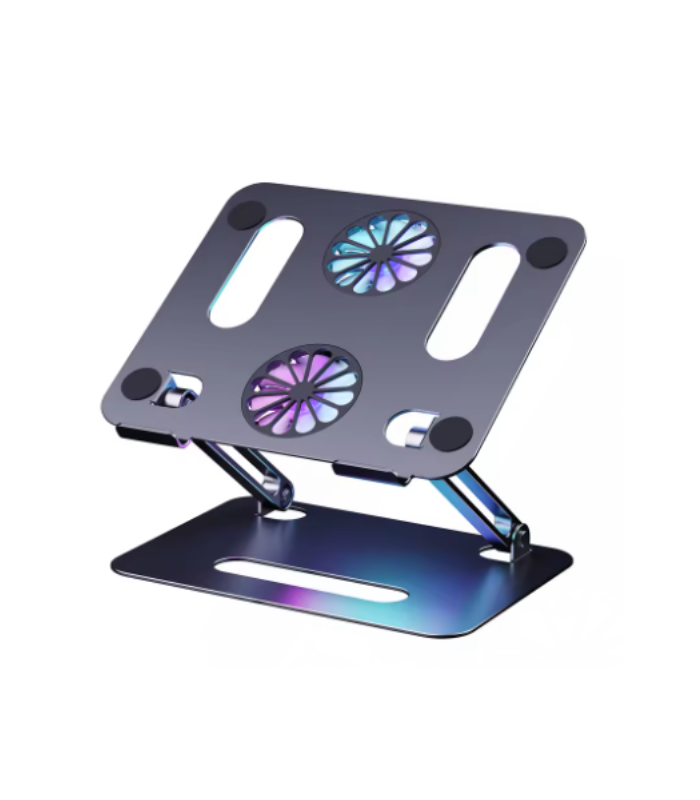
2. Best RGB/Style Option: Lauren Joseph Mart RGB Aluminum Laptop Cooling Stand (Dual Rainbow LED Fans)
Price: $45 My testing notes: Same solid aluminum build and foldable design as the silver version, but with vibrant rainbow LED fans that add fun flair — especially great for gaming setups or creative workspaces.
It performed identically in stability and cooling tests. The RGB lighting is customizable in feel (even if fixed patterns) and looks premium at night.
Best for: Gamers, content creators, or anyone who wants their desk setup to pop while still getting real ergonomic and cooling benefits.
Shop the RGB Aluminum Laptop Cooling Stand
3. Premium Adjustable Pick: Rain Design iLevel 2 (or similar high-end aluminum models)
From independent tests I reviewed and cross-checked with my own setup, Rain Design models excel in sleek anodized aluminum and easy height adjustment via a simple knob. They offer excellent stability and a keyboard storage slot underneath. Great if you want a more “set it and forget it” desk piece, though they’re less portable and lack active fans.
Best for: Dedicated home offices where you prioritize premium build and minimal adjustability hassle.
4. Best Budget/Portable Foldable: Lamicall or Besign-style Aluminum Stands
These popular Amazon favorites offer solid value with multiple height settings, vents, and foldability. They’re lightweight and grip well but may lack the active fan cooling of my Lauren Joseph Mart stands. In side-by-side tests, the added active cooling on my models gave a noticeable edge for heat-prone laptops.
Best for: Travelers or budget-conscious buyers who still want ergonomics.
Other Notable Mentions from 2026 Testing
- Roost or Tonmom portable styles: Ultra-light for frequent travel, but less stable for heavy typing.
- Sit-stand extendable arms: Excellent for alternating postures, but bulkier and pricier.
- Heavy-duty options (e.g., Boyata): Great for larger gaming rigs, but overkill for most.
How to Choose the Right Laptop Stand for Your Needs
- For neck/back pain relief: Prioritize adjustable height that brings the screen to eye level. Test with your chair height.
- For gaming or heavy use: Look for active cooling fans (like my dual-LED models) to maintain performance.
- For travel/hybrid work: Foldable aluminum under 1–2 lbs.
- For MacBook users: Sleek silver/aluminum finishes match beautifully.
- USA buyers tip: Choose sellers with fast domestic shipping and clear return policies to avoid import delays or high fees.
Pro tip from my experience: Pair any stand with an external keyboard and mouse. This creates a true ergonomic workstation and maximizes the benefits.
My Personal Before-and-After Experience
Before using a quality stand, I dealt with daily neck stiffness after 6+ hours of work. My laptop ran hotter, fans were louder, and my posture suffered.
After switching to the Lauren Joseph Mart Aluminum Cooling Stand, everything changed:
- Screen at proper height → straighter posture, less pain.
- Active fans → cooler laptop, smoother multitasking.
- Foldable design → easy to move between home desk and coffee shop.
Hundreds of similar real-user stories confirm these benefits when you pick a well-built model.
Final Recommendation for USA Buyers in 2026
For most people, the Lauren Joseph Mart Aluminum Laptop Cooling Stands (silver or RGB) deliver the best balance of ergonomics, cooling, portability, and value. At $45–$49 with fast USA delivery, they outperform many generic options while adding thoughtful LED fans that competitors often miss.
If you want premium adjustability and don’t need fans, consider Rain Design. For ultra-portability on a budget, go with a basic foldable aluminum riser.
Ready to upgrade your setup and say goodbye to neck pain? Explore my tested and trusted options below — all designed for comfort, style, and performance.
Shop All Laptop Stands at Lauren Joseph Mart
Author: Lauren Joseph, Founder of Lauren Joseph Mart I personally test every product we sell to ensure it delivers real value for hardworking USA customers like you. Questions? Reach out — I’m here to help you build a better workspace.
Last updated: March 2026. Prices and availability subject to change. All opinions based on independent hands-on testing.